1
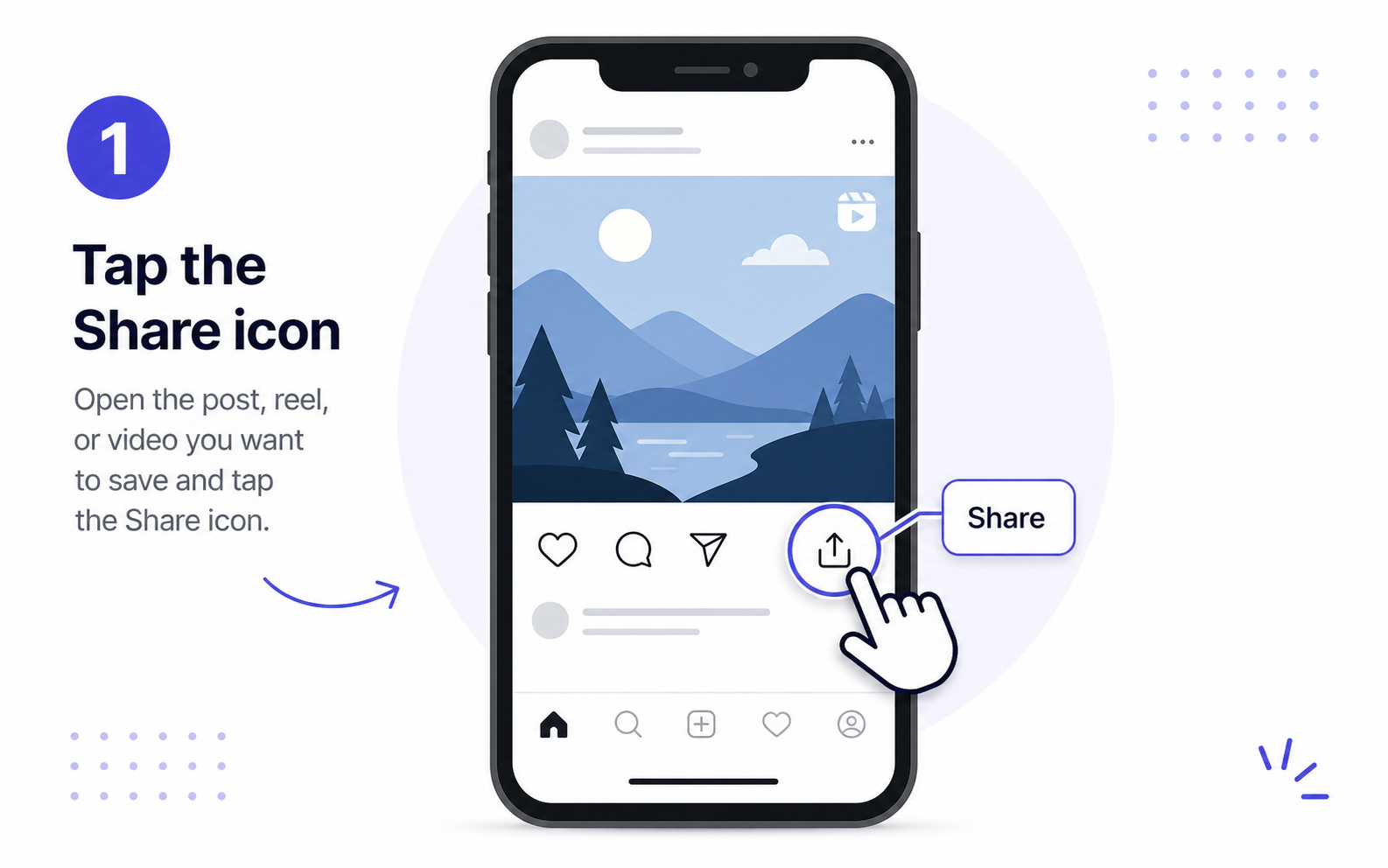
Step 1
Open the Instagram post or Reel and tap the share icon.
Download public Instagram reels, videos, photos, and carousel posts online. Paste an Instagram link and save available media in your browser without installing an app.
Paste a public link, choose a format, then save it locally.
Private, expired, or region-limited posts may not be available.
Paste a public link, choose a format, then save it locally.
By using our service you accept our Terms of Service and Privacy Policy
A simple guide to download videos using Easydown
Step 1
Step 2
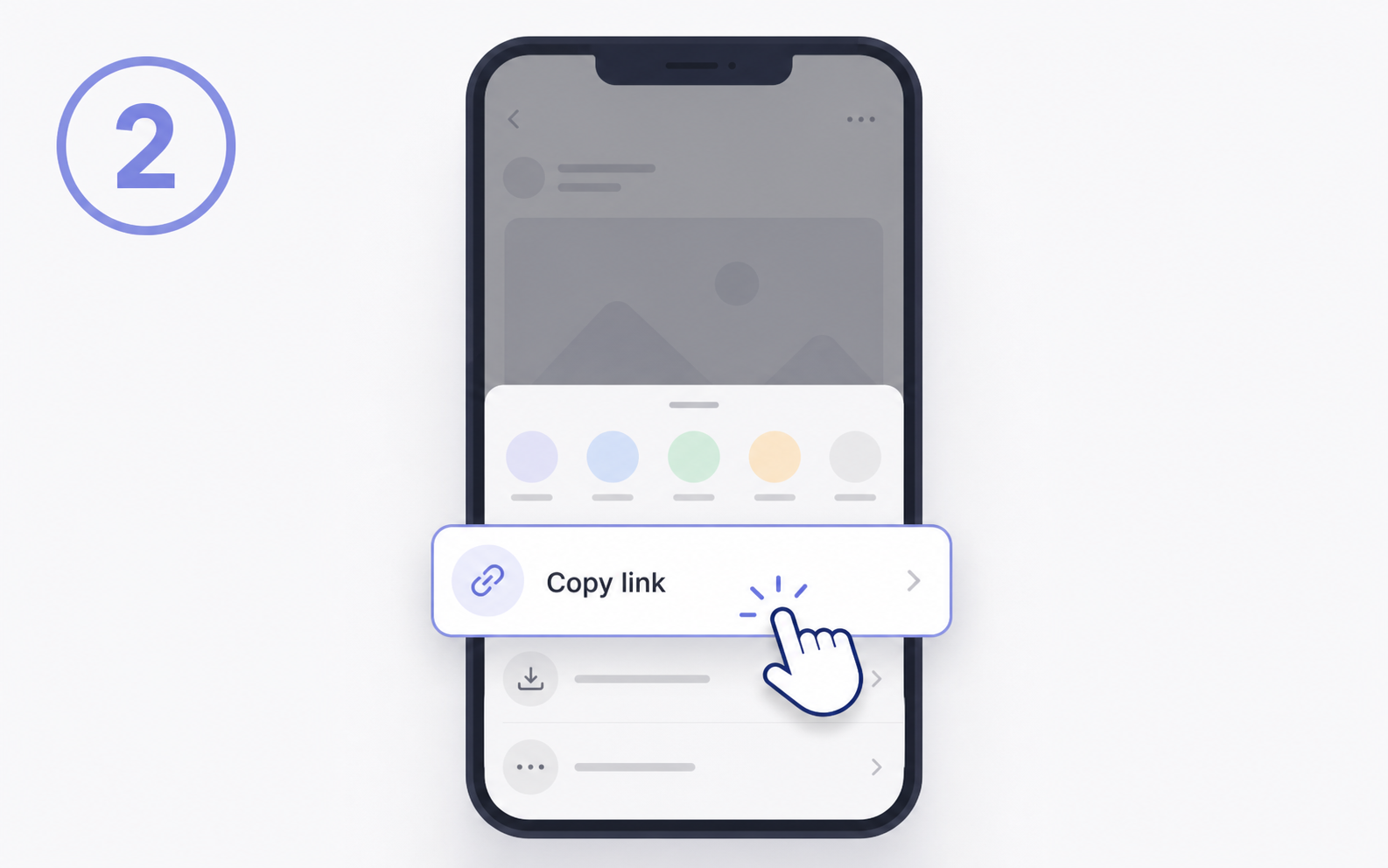
Step 3
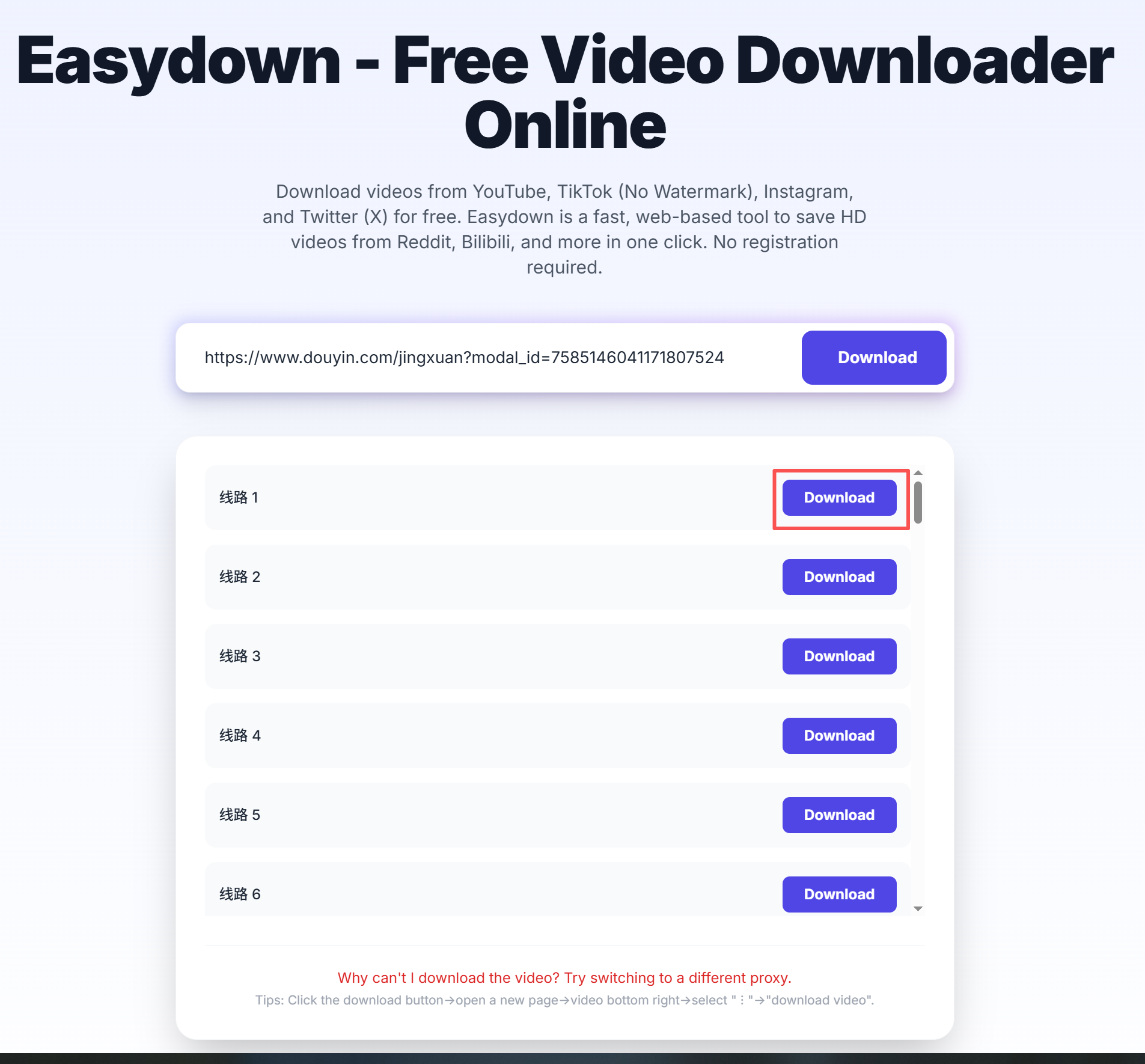
The most common download tasks are grouped below so you can jump straight to the part that matches your situation.
Paste a public Instagram Reel or video post URL and Easydown will look for the direct MP4 file. This covers the common Instagram reel downloader and video saver workflow without installing an app.
Instagram is not only video. Public photo posts and multi-image carousel posts can also expose downloadable image files, so this page can handle both single-photo and gallery-style searches.
Private accounts, deleted posts, expired links, and region-limited media may not load. Reopen the original post, copy the full public URL again, and make sure it is a post, Reel, or TV link rather than a profile page.
Capability evidence
This section is generated from the same URL and response contract used by the web downloader, REST API, and MCP tool. It records observable behavior without publishing a creator name, post ID, screenshot, or temporary media URL.
Reviewed 24 August 2026A public URL pattern was entered in the browser flow. URL detection and the current response contract were checked; a complete media result can still depend on human verification, source availability, region, and an unexpired post.
Profiles, Highlights, Explore pages, direct messages, private posts, login-only media, and expired Stories are not supported.
Use this page for public links that you can open in a browser. The exact result depends on what the source platform exposes for that post.
Public Reels, user-path Reels, video, photo and carousel posts, active Stories, embeds, mobile links, and Instagram share links.
Open the original public post, copy the full share URL, paste it into Easydown, then choose from the files that appear in the result panel.
Video and image results are listed separately when the public post exposes multiple media files.
Private accounts, expired Stories or shares, profile pages, or login-only content may not be available.
Easydown is designed for quick browser-based parsing of public links. Save content only when you have the right to use it, and follow the rules of the original platform and local law.
The page hints, FAQ, and result panel are designed to make file type, audio availability, and common failure reasons easier to understand.